Practical drinking-water education · Updated 2026-11-04
Hydration Reminder Plan: Choose Your Own Daily Cues
Choose the cues and access actions that fit your own day. Generate a written plan, adjust what gets in the way, and keep it separate from an actual drinking record.
Start here
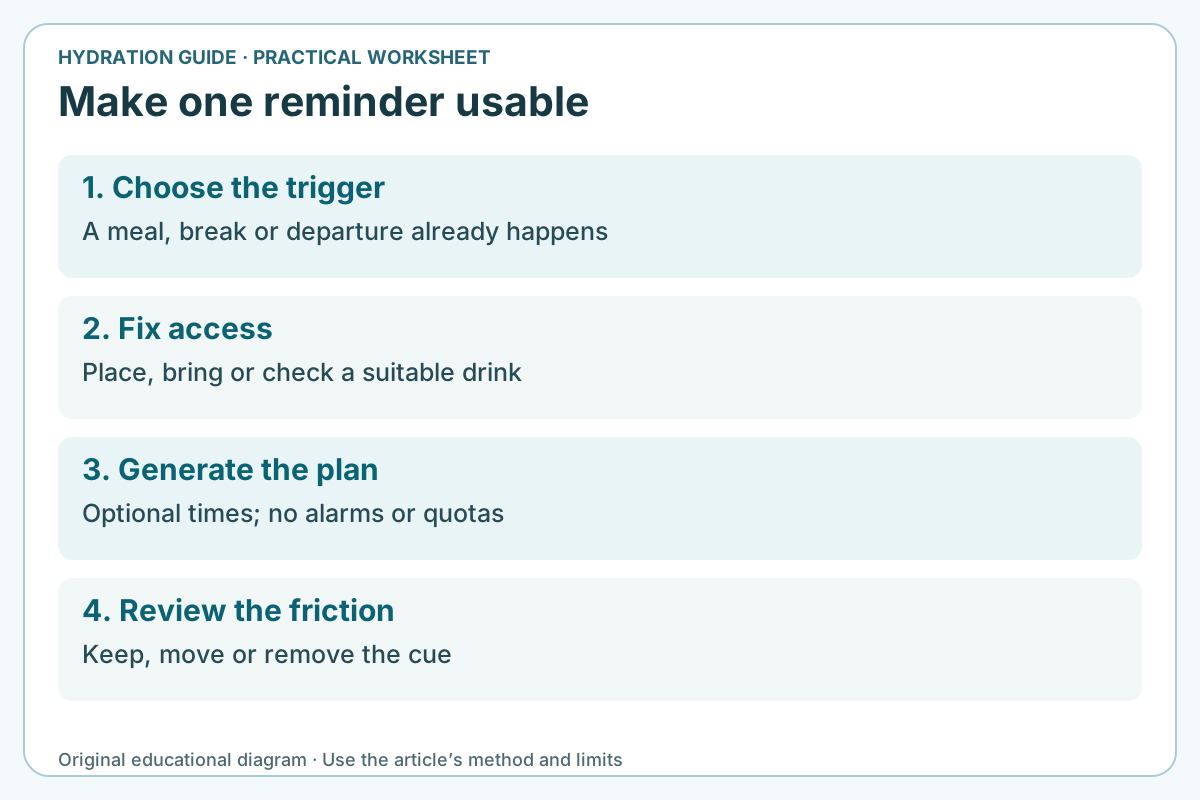
Name one moment when access is often missed. Pair that moment with an action you can do there. A reminder should make the routine easier; it should not create a quota or a catch-up obligation.
Start with a cue that already happens
A reminder is useful when it solves a particular access problem. “After breakfast, place my bottle beside the bag” identifies a cue and an action. “Drink more all day” gives neither. Choose something your day already contains: preparing a meal, arriving at a desk, ending a meeting or packing for the commute.
NHS guidance encourages regular drinking and explains that other drinks and food also contribute to fluid intake. It does not supply evidence for a universal alarm every fifteen minutes or a fixed amount at every cue. This planner organizes timing and access; it does not turn its rows into a personal fluid prescription.
Use one cue first if that is enough. More rows can make the plan harder to notice. A missed cue is feedback about the arrangement, not a debt to repay by drinking extra later. If a clinician has given fluid or swallowing instructions, follow those rather than adapting this general planner into a treatment schedule.
Write an action the cue can actually trigger
The action field should describe what you can do at that point. Put a clean bottle where you will see it, check whether a suitable refill point is open, or bring a drink to a meal. A cue cannot help if the bottle is elsewhere, the tap is not for drinking water or a work rule prevents access.
Keep the action neutral about quantity. “Bring the drink I normally have with lunch” and “check the bottle before leaving” describe access without requiring a set volume. Do not put a compulsory quota into the action and then treat the generated plan as approval of that quota.
Clock time is optional. A time can help when a routine is predictable; “after my first break” can work better when meetings, shifts or care duties move around. The planner preserves the row order you entered. For an overnight shift, rows such as 23:00, 03:00 and 07:00 can appear in that order; it does not silently sort them into a calendar day.
The page creates text. It does not schedule phone alarms, create calendar entries, send notifications or know your time zone. If you choose to use a device reminder, set it yourself for the actual local routine. When traveling or changing shifts, check those clock settings instead of assuming the written plan follows you automatically.
| Cue | Optional time | Practical action | What to review |
|---|---|---|---|
| After breakfast | 07:30 | Place the clean bottle beside the work bag. | Was the bottle noticed before departure? |
| Start of lunch break | 12:30 | Bring a suitable drink to the meal. | Did the cue fit the real break time? |
| Before leaving work | 16:30 | Check the bottle and next suitable water access. | Did access differ on the actual day? |
Separate a planned cue from an actual drinking record
A generated row says what you intend to do. It does not show that you drank, refilled a bottle or reached a suitable intake. Saving the plan does not convert it into a completed health log. If you need to resolve a bottle-counting question, use the separate refill measurement worksheet with actual opening contents, additions, leftovers and other outgoing water.
Do not keep both a planned refill and its eventual drinking event as two entries in a consumption total. A plan, a refill and an amount swallowed answer different questions. Keep only the record needed for the task, particularly if repeated checking creates worry or distracts from daily life.
For ordinary habit review, ask whether you noticed the cue and whether access was available. Those questions are often more useful than adding another metric. They do not establish hydration status. Symptoms, illness, heat exposure or personal medical instructions require their own appropriate response.
Save or export the plan deliberately
The Copy and Download buttons use the current generated text. Editing a cue clears that text and disables exports until you generate the new plan. The download is a plain-text file you manage. Copying lets you paste the plan wherever you choose; this page does not send it anywhere.
Save on this device is optional. It stores the cue entries in this browser’s local storage using a separate key for this revised tool. It does not change a saved plan from the site’s earlier reminder tool. Load saved cue plan restores this tool’s saved entries only when you click it, so opening the page does not silently replace current fields.
Private browsing, storage restrictions or clearing site data can prevent or remove a saved plan. The interface reports a storage failure rather than saying it saved successfully. Use the download if you want a file outside that browser. This is not an online backup or a guarantee of recovery.
Delete this tool’s saved cue plan removes only its own saved record. Clear cue fields clears the current form, which is a different action. On a shared device, a locally saved plan can be available to another person using that browser. The tool asks for no email, account, medical history or location.
Four reminder arrangements to reconsider
Case 1: An alarm fires in the middle of every meeting
The timing is the problem, not a missing quota. Move the cue to a natural break and choose an access action you can do there. Adding more alarms would not make the original one practical.
Case 2: A night shift crosses midnight
Keep cues in the order the shift happens, such as arrival, meal break and departure. The written times do not set alarms or select a date. Check the real local clock if you arrange device reminders separately.
Case 3: A cue was missed yesterday
Do not create an extra drinking obligation today. Ask whether the trigger was noticeable and the drink was accessible. Keep, move or remove the cue based on that practical answer.
Case 4: A person has a prescribed fluid limit
The general planner does not calculate an allowance or approve changes. Follow the actual clinical instructions and ask the care team how any required record or reminder should work. Do not use a generated schedule as evidence that more fluid is suitable.
Questions readers ask
Will the page remind me after I close it?
No. It creates a written cue plan. It does not run background alarms, ask for notification permission or send messages.
Should I fill all six rows?
Only if those cues solve real problems. One useful cue can be enough. The six-row limit is an interface limit, not a recommendation to drink six times or complete six bottles.
Use a separate guide for the next task
- Morning hydration routine — choose one access cue for the beginning of your day
- Water-bottle refill record — separate planned refills from actual additions and drinking
- Day-trip bottle planner — check carrying mass and actual refill access when the day includes travel
Keep the useful part of the record
Download the blank daily cue plan (TXT). One useful cue is enough when it resolves the access problem. Record what you plan separately from what actually happened.
Sources and scope
The cue-writing examples and planner are original practical arrangements. NHS guidance supports regular drinking and access to fluids; it does not validate a particular alarm interval or personalized fluid amount.
- NHS: Water, drinks and hydration — Regular drinking, contributions from other drinks and food, lower-sugar choices, and changing circumstances. Reviewed 17 May 2023; its cup-count guide is not converted into a personal prescription here.
- NHS: Dehydration — Illness-related fluid loss, pharmacist advice, and urgent or emergency signs. Reviewed 1 May 2026. Use the appropriate care service where you live.